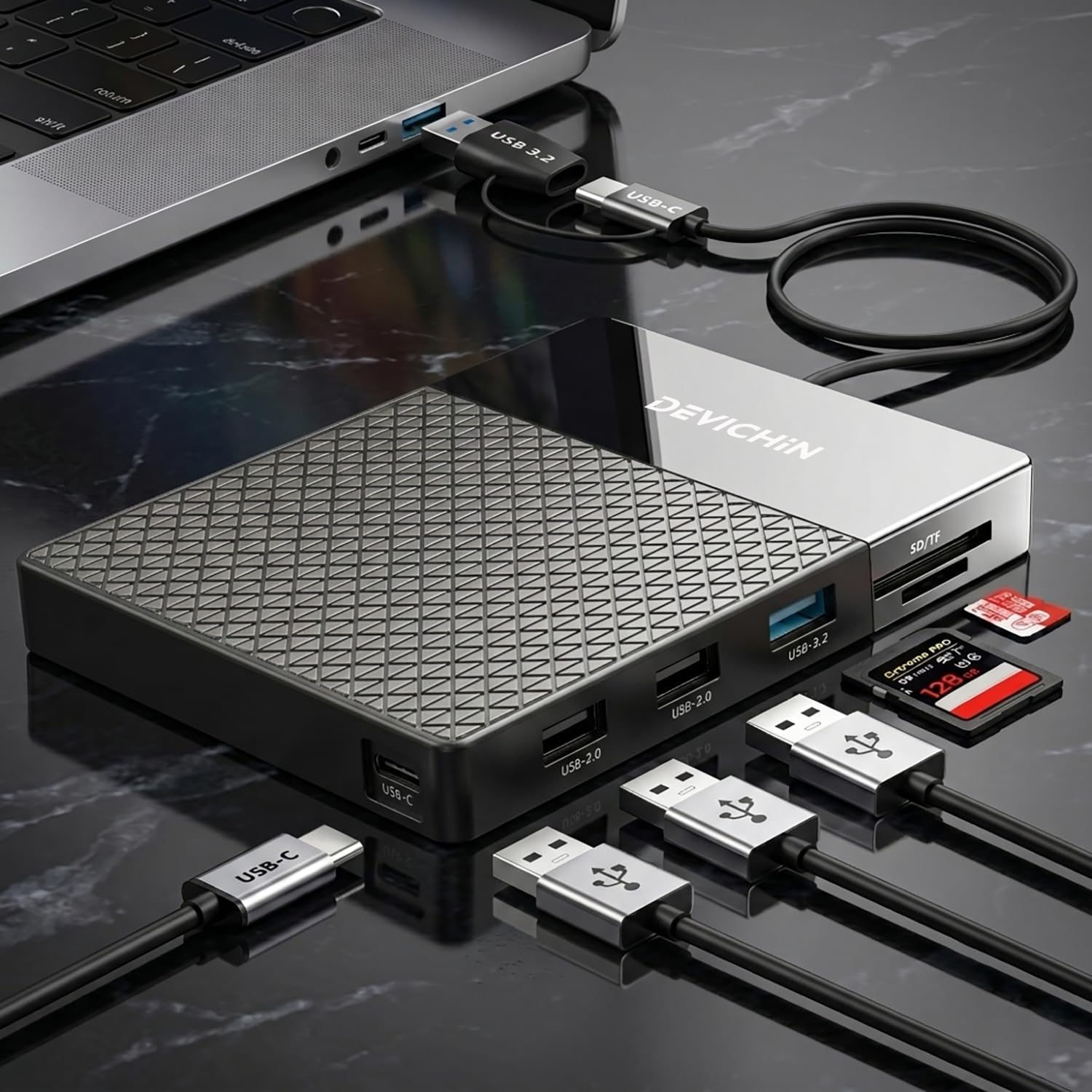
A compact storage device becomes considerably more useful when it can also expand your computer's connectivity. The Devichin 1TB External Hard Drive, USB C & USB 3.0 Multiport Hub+ SD/TF Card Reader 7-in-1 All in One, Docking Station combines a mechanical hard drive with USB hub functionality and SD/TF memory card readers in one portable unit.
Designed for laptop owners, students, photographers, and everyday computer users, this device addresses two common problems: running out of storage space and having too few available ports. Its 1TB capacity provides room for documents, photographs, videos, and backups, while the integrated hub helps reduce the need to carry separate adapters.
The design is especially interesting for people who work across computers, tablets, and compatible smartphones. Rather than purchasing storage and connectivity accessories independently, users can bring several everyday functions together in a single enclosure.
However, convenience is only part of the buying decision. Storage speed, drive reliability, device compatibility, and the limitations of a mechanical hard drive all deserve attention. This review examines the product's specifications, customer feedback, alternatives, and practical value to help you determine whether this all-in-one solution deserves a place in your setup.



Best Overall
Devichin 1TB External Hard Drive, USB C & USB 3.0 Multiport Hub+ SD/TF Card Reader 7-in-1 All in One, Docking Station
The main attraction is its integrated design. It combines 1TB of external storage, USB expansion, and memory card access without requiring several separate accessories.
The product listing identifies a 2.5-inch mechanical hard drive, a USB 3.0 interface, and a claimed transfer rate of up to 120MB/s. Its compact enclosure measures approximately 4.9 × 4 × 0.6 inches and weighs 6.56 ounces.
For everyday file storage and basic peripheral connectivity, these specifications make the Devichin a practical concept. Its value depends on whether you will regularly use both the storage and hub functions.
Key Features
1. Integrated 1TB Storage
One terabyte offers substantial room for documents, personal photographs, downloaded media, and computer backups. It is particularly useful for laptops with limited internal storage.
The device uses a mechanical hard drive rather than solid-state storage. This distinction matters because traditional drives contain moving components and are generally more vulnerable to physical shock than SSDs.
The advertised 120MB/s transfer rate provides a useful reference, but actual performance depends on file sizes, the host connection, and the drive's condition. Large sequential transfers may perform differently from copying thousands of small files.
2. Seven-in-One Hub Functionality
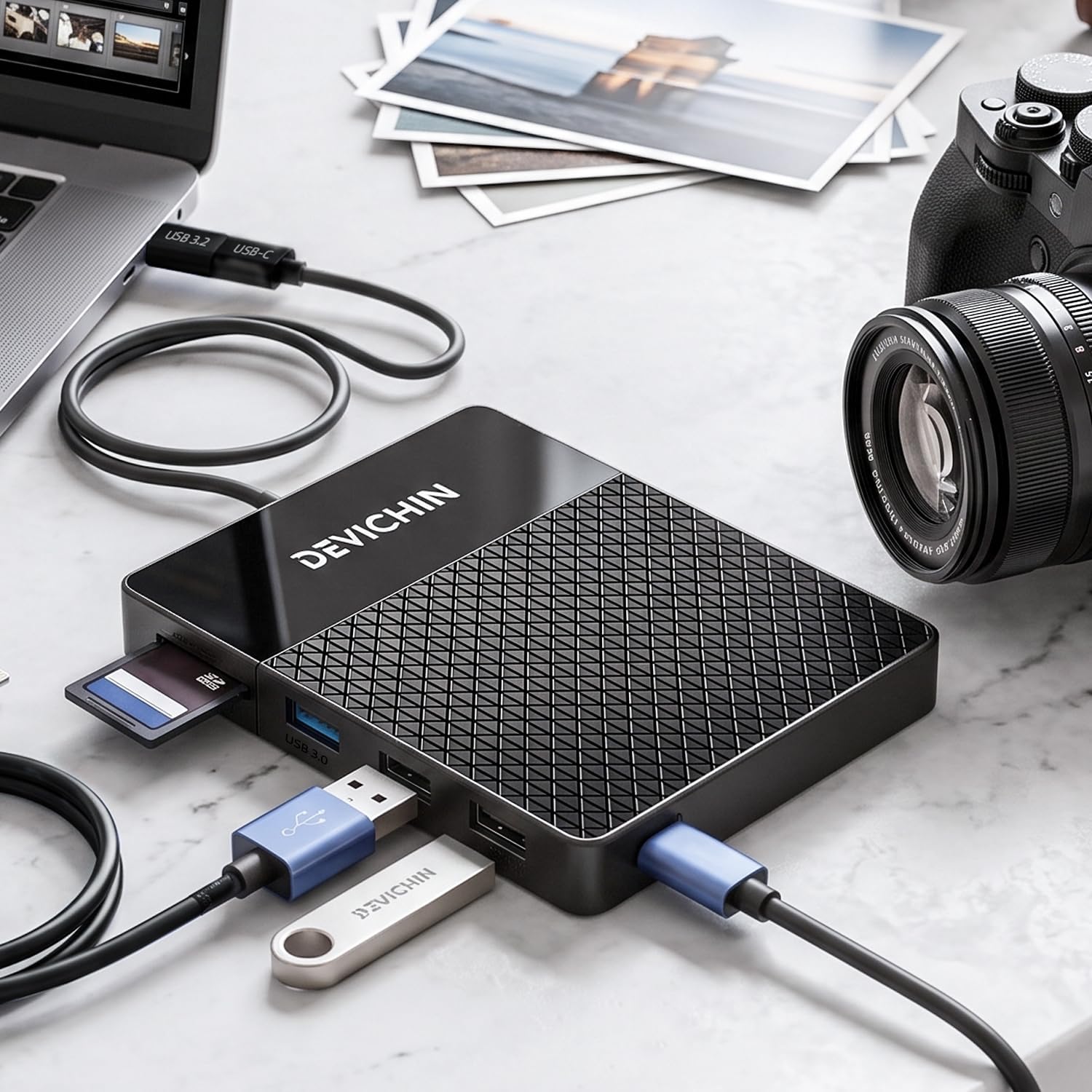
The integrated hub expands connectivity through USB ports and SD/TF memory card slots. This reduces the number of accessories needed when connecting compatible peripherals or accessing files from memory cards.
Photographers can benefit from having card-reading functionality alongside storage, while office users can connect basic USB accessories without constantly switching connections.
One important limitation: this is not a substitute for a full desktop docking station with dedicated monitor outputs, advanced networking, or confirmed laptop Power Delivery. Check the exact port layout before purchasing if you need a specific connection.
3. USB 3.0 and USB-C Connectivity
The product is advertised with USB 3.0 connectivity and a dual-connector cable arrangement for compatibility with suitable USB-A and USB-C hosts.
This gives users flexibility when working with older computers and newer USB-C devices. A compatible USB 3.0 connection also provides adequate bandwidth for ordinary document backups and media storage.
Remember that the connector's physical shape does not guarantee identical performance across devices. The host port, cable, operating system, and drive all influence the overall experience.
4. Portable, Space-Saving Construction
At approximately 6.56 ounces, the enclosure is reasonably portable for a device that combines storage and a hub. Its integrated design can reduce desk clutter and simplify a travel kit.
Nevertheless, a mechanical hard drive should be handled carefully, especially while operating. Avoid dropping it, disconnecting it during transfers, or placing pressure on the enclosure inside a packed bag.
5. Broad Device Compatibility
The listing advertises compatibility with Windows, Mac, Android, smartphones, tablets, laptops, desktops, and selected gaming systems.
Actual functionality varies by device. Some smartphones require suitable USB host support, file-management software, or additional power. macOS may also require reformatting if the drive arrives formatted for Windows.
Before relying on the device for cross-platform work, verify filesystem compatibility and test transfers on every operating system you intend to use.
Real Customer Feedback
The Amazon listing currently displays 3.7 out of 5 stars from 50 customer reviews. This is a relatively limited review sample, so the rating should be considered cautiously rather than treated as definitive evidence of long-term reliability.
The accessible listing confirms the overall rating and review count, but does not provide enough verifiable review detail to establish recurring praise or complaints for this exact listing with confidence. Feedback for similar hub-and-drive products highlights the convenience of combining storage and card reading, while reports involving comparable devices include occasional drive-recognition and partition problems.
Those reports should not be mistaken for confirmed defects in every Devichin unit. Still, the middling rating makes careful inspection important. Test the drive, confirm its advertised capacity, and copy several files before depending on it for important backups.
Pros and Cons
Pros
Integrated 1TB mechanical storage.
USB hub and SD/TF card-reading functionality.
Compact enclosure for everyday transport.
USB 3.0 connectivity with USB-C compatibility.
Can reduce the need for separate storage and card-reader accessories.
Cons
Mechanical storage is less shock-resistant than an SSD.
Listed 120MB/s performance is not an independently verified benchmark.
Limited customer feedback and a middling 3.7-star rating.
Compatibility and formatting may require attention.
No confirmed HDMI output or laptop charging capability.
Who Should Buy This Product?
The Devichin is best suited to users who want additional storage and basic connectivity in one device. Students, office workers, and casual photographers may appreciate having room for files alongside accessible memory card slots.
It is less suitable for professional video editors transferring large projects all day, frequent travelers who need rugged storage, or anyone requiring a dedicated multi-monitor docking station. Those users should consider an SSD or a purpose-built dock instead.
Setup and Usage Overview
Connect the drive: Use the supplied cable and an appropriate USB-A or USB-C host connection.
Check detection: Confirm that the drive appears in File Explorer, Disk Management, Finder, or the relevant storage interface.
Verify capacity: Check that the available storage is consistent with the expected 1TB drive.
Test the hub: Connect a USB accessory and insert an SD or TF card to verify that the corresponding functions work.
Format if necessary: Reformat only after checking compatibility and confirming that no required files are present.
Disconnect safely: Eject the storage device before unplugging it to reduce the risk of data corruption.
Keep a second copy of irreplaceable files on another drive or backup service. An external hard drive should not be your only copy of important data.
Comparison With Similar Products
| Feature | Devichin 1TB Hub HDD | YOTUO 1TB 7-in-1 HDD | Toshiba Canvio Basics 1TB | Samsung T7 Shield 1TB |
|---|---|---|---|---|
| Storage type | Mechanical HDD | Mechanical HDD | Mechanical HDD | SSD |
| Capacity | 1TB | 1TB | 1TB | 1TB |
| Integrated hub | Yes | Yes | No | No |
| SD/TF readers | Yes | Yes | No | No |
| Maximum advertised speed | 120MB/s | Depends on configuration | USB 3.2 Gen 1 interface | Up to 1,050MB/s read |
| Best use | Storage and port expansion | Storage and port expansion | Straightforward backups | Fast, durable storage |
YOTUO 1TB External Hard Drive 7-in-1
The YOTUO SY-DSHDD-01 offers a closely related all-in-one concept, combining mechanical storage, USB connectivity, and card readers. It is worth comparing directly because the broad design and intended use are similar. The better option will depend on the seller, warranty, price, and exact configuration.
Toshiba Canvio Basics 1TB
The Toshiba Canvio Basics is a simpler portable hard drive with USB 3.2 Gen 1 connectivity. It does not include the Devichin's integrated hub, but its straightforward design is appealing for buyers who primarily want dependable everyday file storage from an established storage brand.
Samsung T7 Shield 1TB
The Samsung T7 Shield uses SSD technology and advertises sequential read speeds of up to 1,050MB/s. It also offers an IP65-rated enclosure and tested drop resistance. It costs more than many basic mechanical drives, but is better suited to users prioritizing speed and physical durability. Unlike the Devichin, it does not integrate a USB hub or card readers.
Final Verdict
The Devichin 1TB External Hard Drive with USB-C connectivity and a seven-in-one hub offers an appealing idea: bring storage, peripheral expansion, and memory card access together in one compact device.
Its greatest advantage is convenience. Its key compromises are mechanical-drive performance, limited verified customer feedback, and uncertainty around some device-specific compatibility requirements.
Is it worth buying? It may be worthwhile if its current price is competitive and you genuinely need the combined features. For maximum reliability, faster transfers, or professional workflows, compare it with a dedicated portable SSD and a separate hub before deciding.
Final Rating: 3.7/5
Where to Buy
Check the latest price, available configurations, warranty details, and customer feedback before ordering.
Buy the Devichin 1TB External Hard Drive and 7-in-1 Hub on Amazon
Frequently Asked Questions
1. Is the Devichin device an SSD?
No. The listing identifies it as a mechanical hard drive with a 2.5-inch form factor. It should not be expected to match the speed or shock resistance of an SSD.
2. Can it connect to USB-C laptops?
Yes, the listing advertises USB-C and USB 3.0 compatibility. Confirm the supplied cable and your device's port capabilities before purchasing.
3. Does it support memory cards?
Yes. It includes SD and TF card-reading functionality, allowing compatible memory cards to be accessed through the integrated hub.
4. Can I use it with an iPhone?
The listing advertises support for iPhone 15, 16, and 17 models, but the exact experience depends on the connection, filesystem, and power requirements. Check compatibility with your specific device.
5. Is 1TB enough for backups?
For documents, photos, and ordinary personal backups, 1TB can be sufficient. Large video libraries and professional projects may require more capacity. Always maintain a second copy of important files.
6. Is the Devichin 7-in-1 hub worth buying in 2026?
It is worth considering if integrated storage and card reading are priorities. If speed, proven long-term reliability, or monitor connectivity matters more, a separate SSD and a dedicated USB-C dock may be a better investment.
Meta Description
Devichin 1TB External Hard Drive review: explore its USB-C hub, SD/TF card readers, storage performance, compatibility, and value before buying.
